

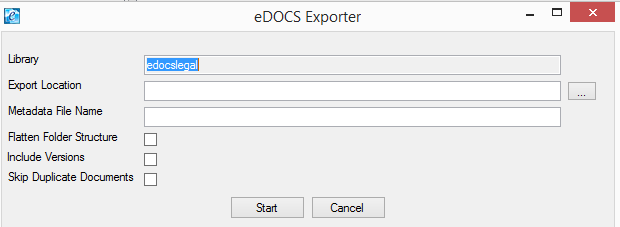
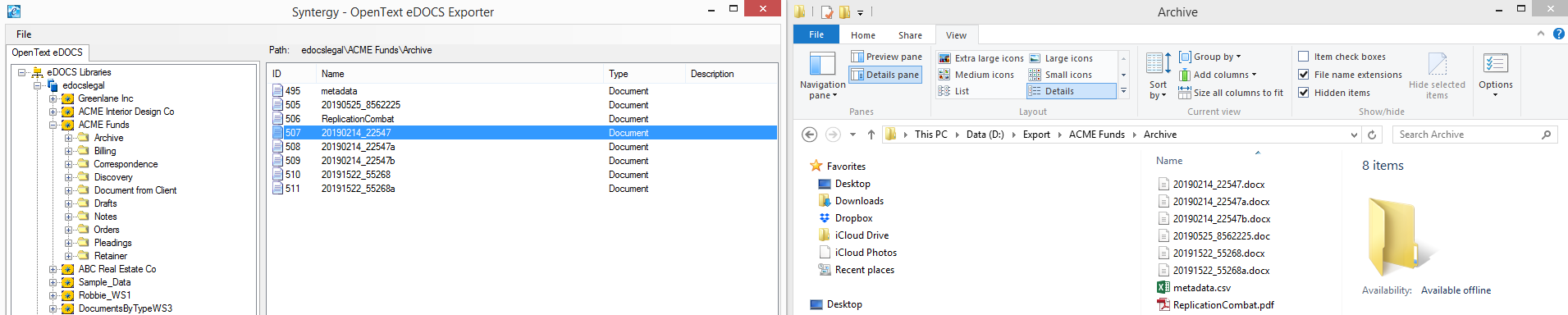
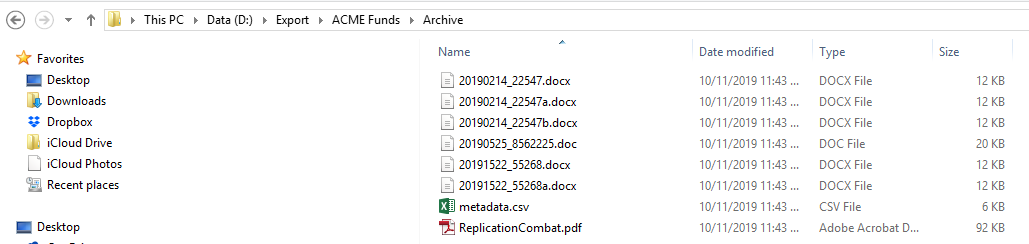
eDOCS Exporter
Your Fastest Path from eDOCS to NetDocuments
Migrating from eDOCS to NetDocuments doesn’t have to be slow, risky, or complicated. Syntergy’s eDOCS Exporter gives you a clean, predictable way to extract and prepare your eDOCS content for a seamless transition into NetDocuments—without custom scripts or manual cleanup.
Built for NetDocuments Migration
eDOCS Exporter is purpose‑designed to support organizations retiring eDOCS and moving to NetDocuments. Every feature aligns with NetDocuments’ cabinet, workspace, metadata, and security models.
What You Get
- Accurate extraction of documents, metadata, versions, and security
- Automated cleanup and normalization for NetDocuments compatibility
- Reliable mapping of metadata and permissions
- Structured output ready for NetDocuments migration tools
- Full logging and auditability for compliance
- Enterprise‑grade performance for large libraries
How it Works
Read More- Extract eDOCS Content “Export documents, metadata, versions, and folder structures from selected eDOCS libraries into a secure staging area.”
- Analyze & Prepare “Perform metadata cleanup, permissions adjustments, and structural normalization to ensure compatibility with NetDocuments workspace and cabinet models.”
- Map & Transform “Map metadata fields, owners, security, and folder hierarchies to NetDocuments standards.”
- Migrate to NetDocuments “Deliver a clean, validated import package ready for NetDocuments migration tools, with full logging and auditability.”
Perfect for Organizations That Want To…
- Retire eDOCS and move fully to NetDocuments
- Consolidate multiple eDOCS libraries into a unified NetDocuments structure
- Clean up legacy metadata before migration
- Ensure a predictable, low‑risk migration process
- Avoid custom scripts and manual remediation
Why Syntergy
With decades of experience supporting eDOCS environments, Syntergy brings unmatched expertise to eDOCS‑to‑NetDocuments migrations. Our tools and methodology reduce risk, accelerate timelines, and ensure a clean transition.
See eDOCS Exporter in Action
If you’re planning your move from eDOCS to NetDocuments, Syntergy can help you get there with confidence. Request a demo or speak with our migration team today.

eDOCS Exporter Use Cases
Enhance efficiency, security, and performance with our suite of innovative products.
Retire eDOCS and migrate all content to Net Documents.
Consolidate legacy eDOCS libraries into NetDocuments
Prepare Client/Matter structures for NetDocuments workspaces
Normalize metadata and permissions for NetDocuments import
Support large‑scale, multi‑library migrations with predictable outcomes
Key Benefits
Why Teams love eDOCS Exporter
Proven methodology for eDOCS → NetDocuments migration
Accurate metadata and permissions mapping
No custom scripting required
Fast turnaround for complex eDOCS environments
Detailed logging and audit trails for compliance
Enterprise‑tested performance across large libraries
Do You...
- Want to migrate eDOCS content to Net Documents?
- Need to consolidate multiple eDOCS libraries into a single NetDocuments structure?
- Require a proven, low risk approach to eDOCS to NetDocuments migration?
- Need to prepare metadata, security, and folder structures for NetDocuments import? If yes, eDOCS Exporter is for you.
If yes, eDOCS Exporter is for you.

Specifications
Helpful Resources at Your Fingertips
Important NetDocuments Links:
Document and Email Management for Legal Firms and Department
Need help finding a resource?


Get a free trial
Please submit the form below to request a free trial.

Hear from Our Clients
"We could not have completed this project without the Data Manager tool. I also want to thank you and Matthew for your extreme patience and support in getting our system up and running in our complex environment."
— Nouryon