





Syntergy

Manage Content with an Intuitive Drag & Drop Desktop Application

Director

Desktop Application to Manage Content and Metadata

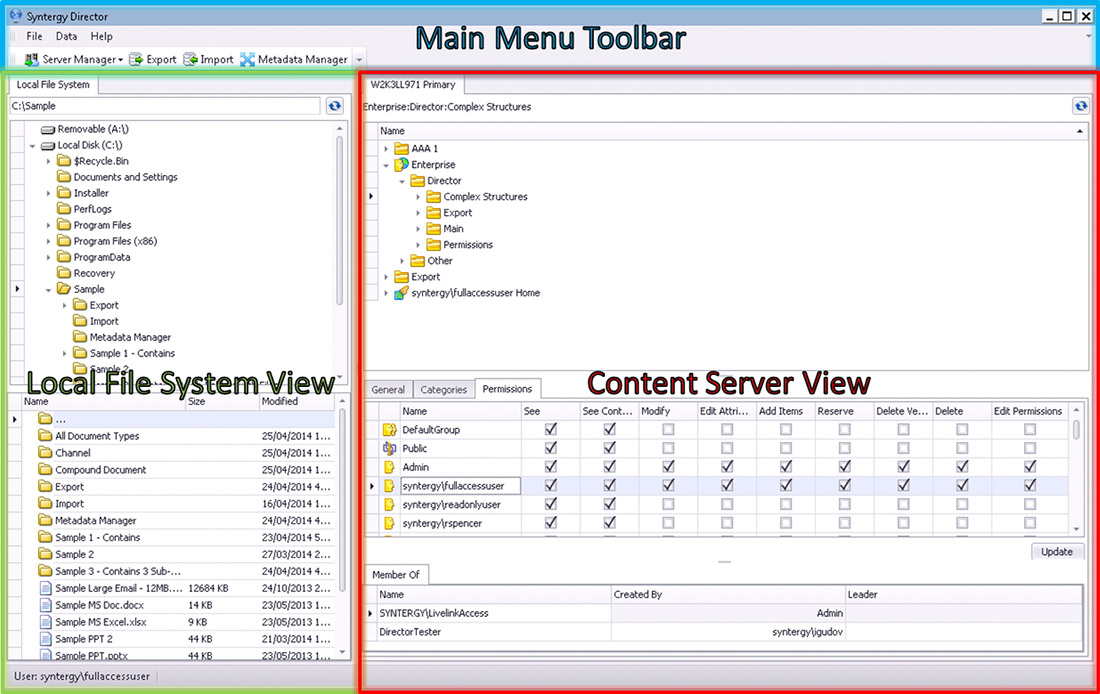
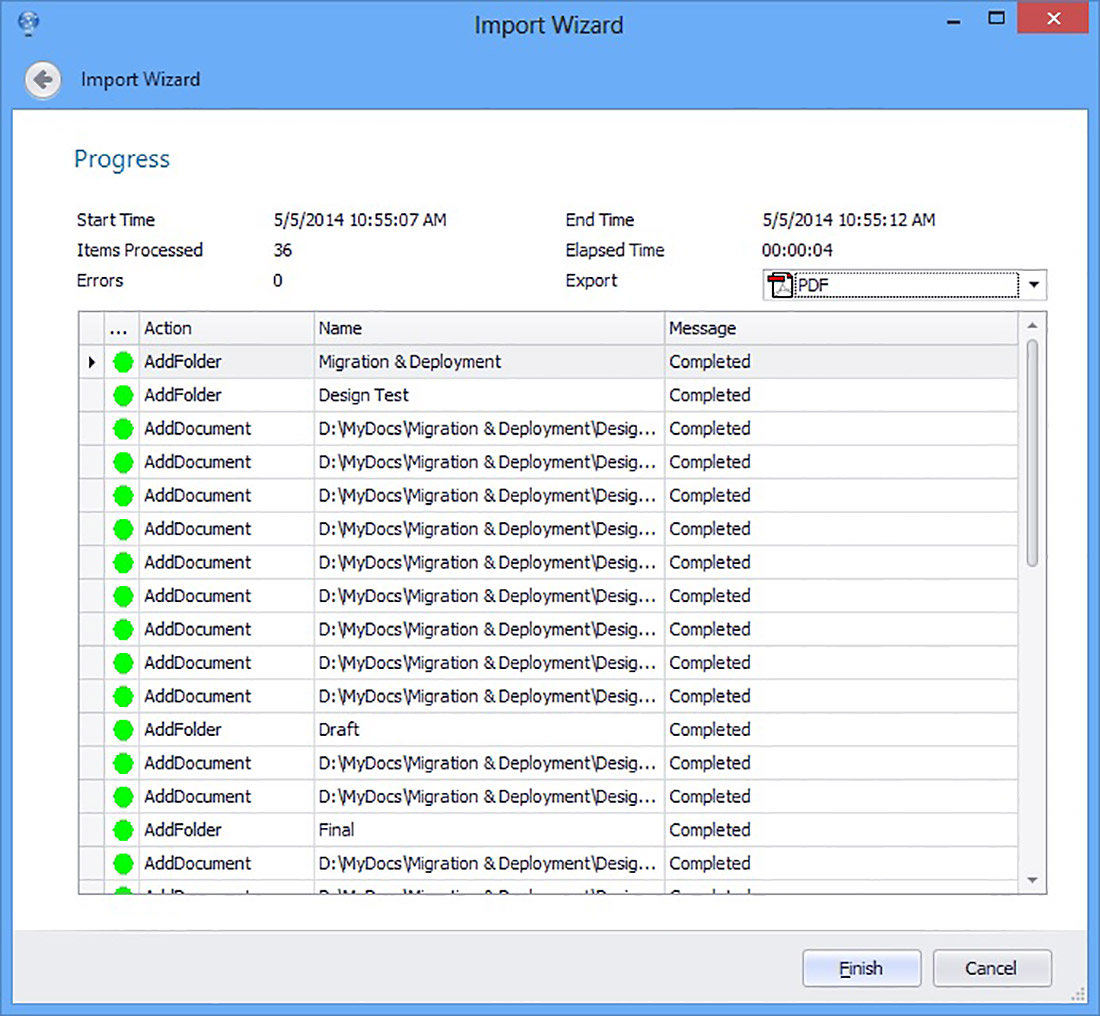
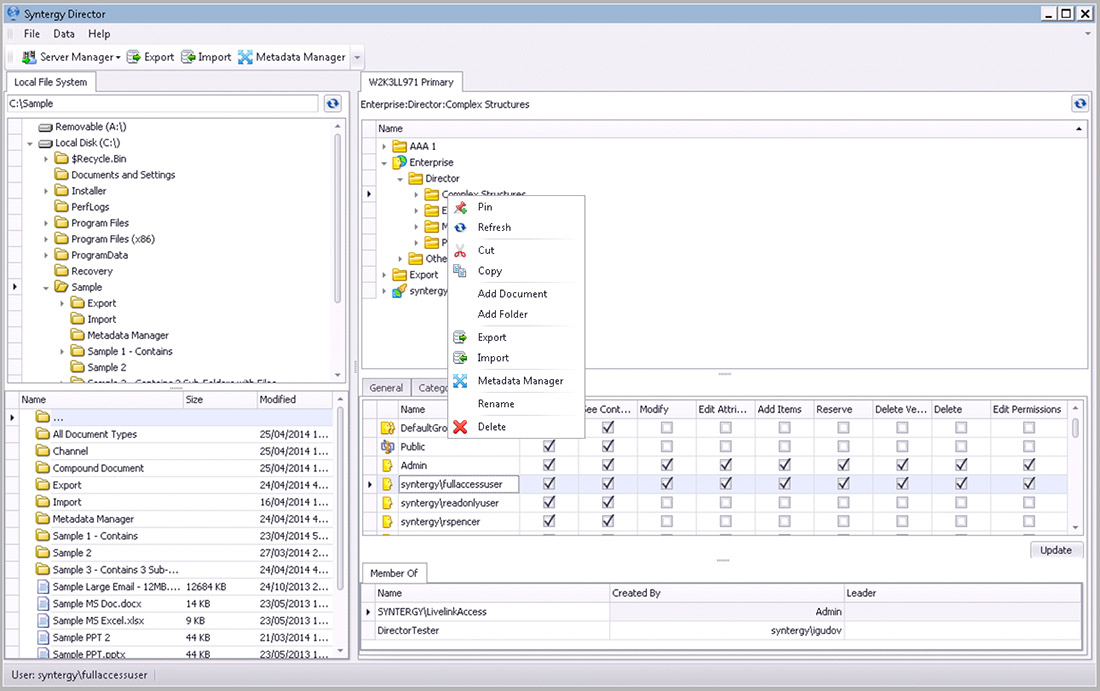
Director is a desktop application with an intuitive drag and drop user interface that focuses on data moving, category/attribute management, records management, bulk operations (document export, import, copy, etc.), permissions management, and reporting. Users can connect to one or more Content Server instances to perform operations such as export, import, copy and move of documents between Local or Network file system and Content Server. Director also supports importing content based on a CSV (Excel) file.

Empower Content Managers

Do you have limited IT resources to keep Content Server organized? Distribute the workload to Content Managers with appropriate permissions to manage content and metadata.

Manage Content in the Cloud

Ready to migrate to the OpenText Cloud? Users can easily migrate data from the local file system to the OpenText Cloud via simple drag & drop operations. Simply connect to a Cloud server and copy data in either direction. No module installation required.

Key Benefits

Why Teams Love Director

Director streamlines complex content management workflows, making it easier for teams to organize, control, and collaborate. With intuitive tools and seamless integration, it boosts productivity and ensures your data is always secure and accessible.

Do You...

If yes, Director is built for you.

Specifications

Component
Requirement
Operating Systems (Client)
1. Windows 11
2. Windows Server 2012
3. Windows Server 2016
4. Windows Server 2019
5. Windows Server 2022
6. Windows Server 2025

Helpful Resources at Your Fingertips

Access product guides, datasheets, and demo videos to get the most out of your Syntergy tools—all in one place.

Need help finding a resource?

License Features Comparison

Licenses
FeaturesEnd UserContent ManagerEnterprise
Add, Remove, Re-organize Content
Import and Export Data
Drag and Drop Enabled Interface
Drag and Drop Outlook E-Mails into Content Server
Batch Processing of Documents
Manage Category Metadata
Manage Multiple Content Server Instances
32 and 64 Bit OS Support
Local, Network or Cloud Environments
Powerful File Migration Capabilities
No Server Side Install
User & Group Management-
Permissions Management & Reporting-
Records Management Metadata Support--
Physical Objects Metadata Support--

Get a free trial

Please submit the form below to request a free trial.

First Name*


Last Name*


Title*


Company*


Email*


Phone Number*


Country*


Content Server Version*


Edit Template
Client photo

Hear from Our Clients

"Your service was instrumental in starting our migration project from eDOCS to Content Server and helping us better understand the migration process between both systems."

— Financial Services Canada

Edit Template
Scroll to Top